
Yuvix Guide
How to Choose a Period Tracker: What to Compare
 Mentari RahmanFounder of Yuvix
 dr. Risdayani R JumarangMedically reviewed, General Practitioner
Period tracker apps look alike in the store, but they differ in where data goes, what they ask for, how predictions are built, and what they cost to keep using. This guide gives you a method you can repeat on any app: ask the same questions, run the same tests, and score the results with the worksheet at the end.
What to check
| Question | Why it matters |
|---|---|
| Where are records stored? | Storage on the device limits what a company can access, but you then need your own backup plan. |
| Is an account required? | Accounts tie your data to an identity and usually to a server. |
| Which third parties receive data? | Analytics and ad SDKs can receive usage or health-related events. Check the Data safety section for what is declared. |
| Can you delete everything? | Check whether deletion happens in the app, whether a web request is offered, and what backups remain. |
| Does it explain predictions? | A good app says that predictions are estimates from logged data, not medical advice. |
| What does it cost? | Check which features are free, the price per month and per year, and whether a trial renews automatically. |
Apple's HealthKit rules apply to iPhone apps that read or write Health data. An app may not use HealthKit data for advertising, may not sell it to advertising platforms or data brokers, and may not disclose it to a third party without the user's permission. Users grant access separately for each data type, so you can check which ones an app asked for.
Feature categories
Decide which features matter to you before you compare prices. For instance, if you want to understand hormonal patterns, look for an app that maps symptoms across the four phases of the menstrual cycle. If privacy is paramount, verify that the app satisfies the criteria in our period tracker privacy audit. The table below lists the categories most trackers share and what to check in each.
| Category | What to look for |
|---|---|
| Tracking | Can you log period days, flow, symptoms and notes in a few taps? Can you edit or delete past entries? |
| Predictions | Does the app show the next period and fertile window, and explain how it estimated them? Apple's Cycle Tracking, for example, bases predictions on logged periods and cycle length. |
| Reminders | Can you set period and fertile-window reminders and turn each one off separately? |
| Data export | Can you save your history as a file you can open without the app? Apple's Cycle Tracking can export a PDF of the last 12 months. |
| Sync and backup | Is sync optional? If you change phones, how do you move your records, and what happens if the phone is lost? |
| Health app integration | Does the app read or write to Apple Health or Health Connect? Health Connect has a Menstruation data type with its own read and write permissions, so you can see what is requested. |
| Widgets | Does a widget show the next predicted date without opening the app? Check whether it shows any detail on the lock screen. |
| Cost model | Which features are free? What does the paid tier add, and is the price shown per month, per year, or both? |
Read the store label and the policy
The App Store privacy label and the Google Play Data safety section summarise what developers declare. Each store only shows what the developer reports, so a short label can leave out details that matter to you. Use the label as a starting point, then read the full privacy policy for three things: how long records are kept, how deletion works, and which service providers receive data.
Test a free trial
Most trials let you test an app before you pay. Use test entries, not real symptoms, while you run these steps:
- Install the app and note which features work without payment.
- Add a test entry, edit it, then delete it. Confirm it is gone from the calendar and from any export.
- Set one reminder, confirm it arrives, then turn it off.
- Create an export and open the file outside the app.
- Find the cancellation route before the trial ends. Check whether it renews automatically and where you cancel in the store's subscription settings.
- Turn on airplane mode and log an entry. Confirm the app still works and that data behaves as its policy describes.
Evaluate prediction accuracy
A prediction only means something when you compare it with what happened. The NHS describes cycles of 21 to 35 days as normal for regular cycles, and says the time from ovulation to the next period is around 10 to 16 days. Apple's fertile window uses a calendar method that subtracts a 13-day luteal phase from the estimated start of the next cycle. That is one estimate among several, and it will not fit every body equally well.
Run this comparison over three full cycles:
- Log the start and end date of each period, plus flow if you can.
- Before your next period, write down the start date the app predicts, on paper or in a note, so it cannot change afterwards.
- When the period starts, record the gap in days between the prediction and the actual start.
- After three cycles, compare the average gap with the largest gap. A small average with one large miss means something different from a steady small error.
- Note events you think affect your cycle, such as travel or illness, so you can see whether the misses cluster around them.
A tracker can show a pattern to discuss with a clinician, but it cannot diagnose a condition. ACOG notes that periods lasting more than 7 days should be discussed with a doctor, and the CDC lists heavy bleeding signs such as needing to change protection during the night. If you notice persistent prediction errors or irregular cycles, learn how to document them in our guide on how to prepare your cycle records for a doctor visit.
Scoring worksheet
Score each row from 0 to 2. Use 0 when the answer is not shown or is unclear, 1 when it is partly shown, and 2 when it is clear and you have checked it yourself.
| Area | Check | Score (0-2) |
|---|---|---|
| Account and storage | Can the app be used without an account, and does it explain where data is kept? | |
| Third parties | Are all recipients of data listed, with their purposes? | |
| Deletion | Can every entry be deleted in the app, and is there a written process for anything else? | |
| Predictions | Are estimates labelled, with the method explained? | |
| Accuracy over three cycles | Average and largest gap between predicted and actual start | |
| Export | Can you export a file that opens without the app? | |
| Reminders | Can each reminder be set and turned off separately? | |
| Health integration | Are the requested data types listed and optional? | |
| Cost | Are core features free, and are prices shown before purchase? | |
| Trial test | Did every step of the trial test pass? | |
| Total | out of 20 |
Score each app with the same tests, on the same day if you can. Totals only compare fairly when the tests match. If one area matters more to you, change its weight and write down why.
Where Yuvix stands
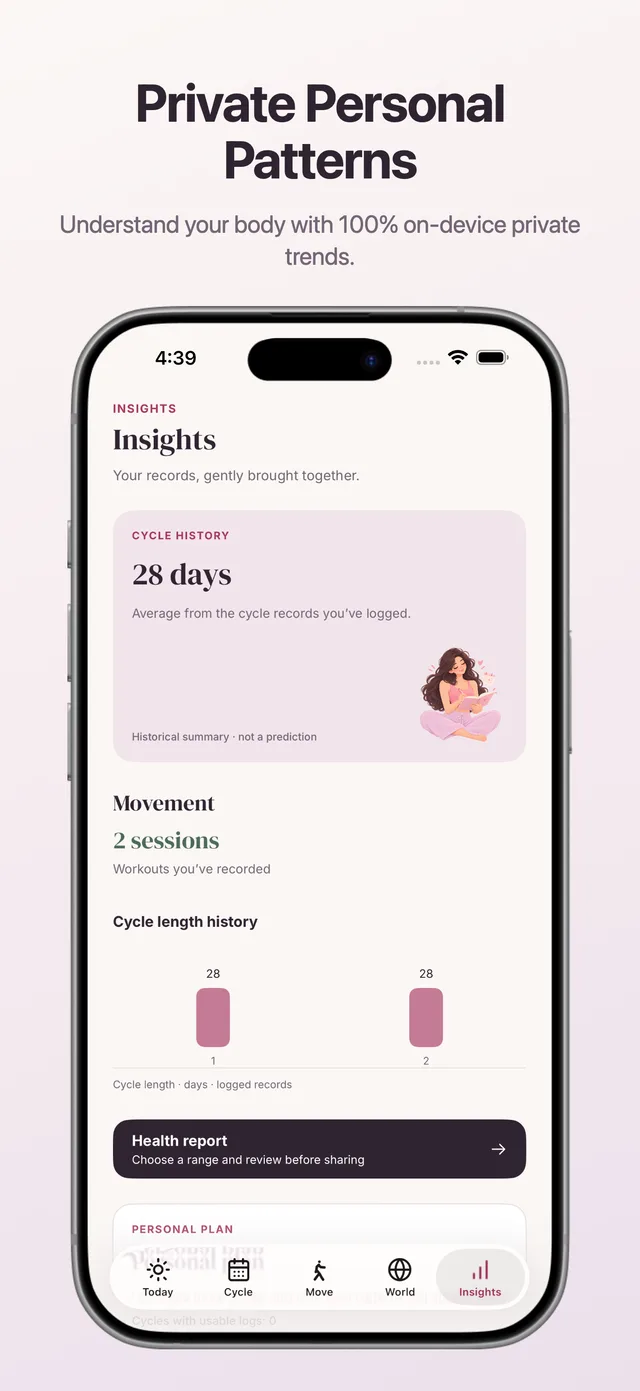
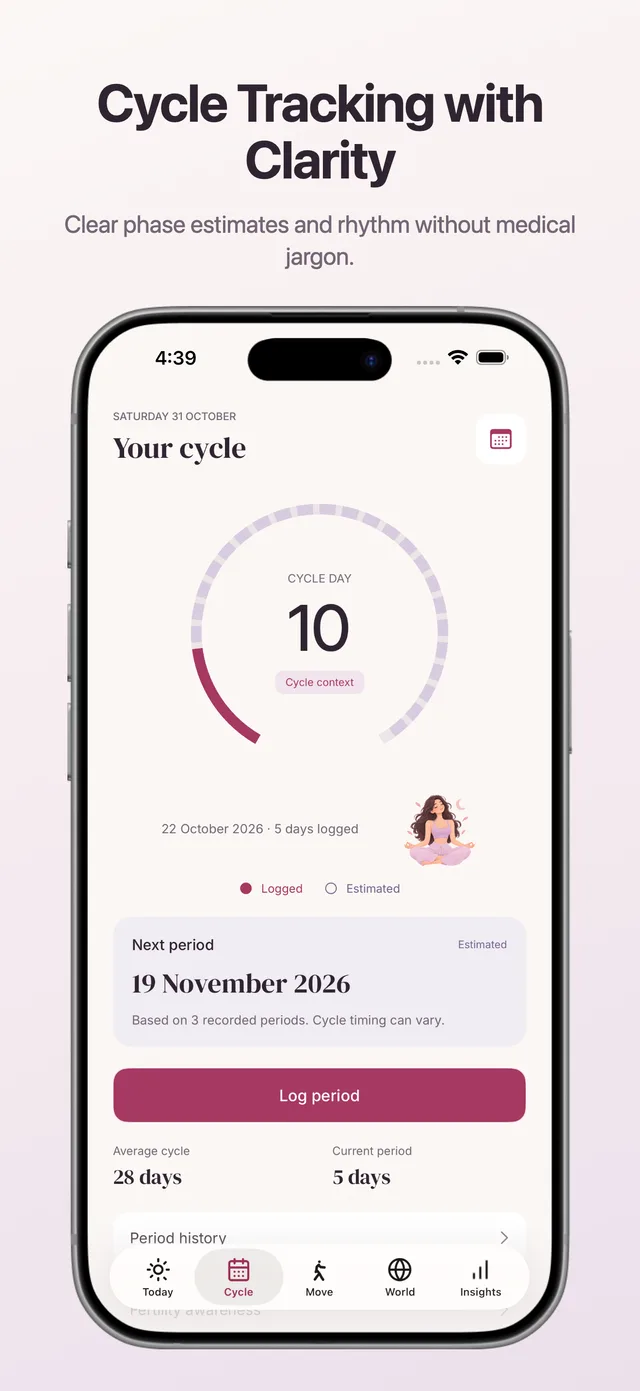
Yuvix is a period and cycle tracker for Android and iOS. Records stay on your phone, and no account is required. Core tracking is free. Premium costs $2.99 per month or $19.99 per year. Predictions are estimates from the data you log, and Yuvix is not a medical device or a form of contraception.
Apply the table, the worksheet and the trial steps to Yuvix the same way you would to any other app. Read the privacy policy, install the app, and score it yourself. Confirm which features your version includes, such as export and widgets, before you decide.
Compare Yuvix against your privacy checklist today. Test core cycle tracking on your iPhone or Android without creating an account or exposing data to ad brokers.

Frequently Asked Questions
What should I look for in a period tracker's privacy label?+
Check the Apple App Privacy details or Google Data safety section. Look for 'Data Not Collected' or 'Data Not Linked to You', and verify there are zero third-party advertising SDKs.
How do I test prediction accuracy over three cycles?+
Write down the app's predicted start date on paper before your period begins, then record the actual start date. Calculate the variance across 3 cycles to see if the algorithm adapts.
Is a paid subscription always better than a free app?+
Not necessarily. Many paid apps still require cloud accounts and collect telemetric data. Look for apps that offer core tracking without accounts and support local PDF export.

Sources
- CDC, "About Heavy Menstrual Bleeding", cdc.gov/female-blood-disorders/about/heavy-menstrual-bleeding.html
- Apple Support, "Track your period with Cycle Tracking", support.apple.com/en-us/120356
- Apple Developer, "Protecting user privacy" (HealthKit), developer.apple.com/documentation/healthkit/protecting-user-privacy
- Google, "Understand app privacy & security practices with Google Play's Data safety section", support.google.com/googleplay/answer/11416267
- Android Developers, "Health Connect data types", developer.android.com/health-and-fitness/health-connect/data-types
- NHS, "Periods and fertility in the menstrual cycle", nhs.uk/conditions/periods/fertility-in-the-menstrual-cycle
- ACOG, "Heavy and Abnormal Periods" (FAQs for Teens), acog.org/womens-health/faqs/heavy-and-abnormal-periods
Health information only. Yuvix is not a medical device.
Discussion & Reader Q&A
Moderated CommunityThe trial scoring worksheet was so practical. Testing whether I could delete all entries before subscribing saved me from committing to a bad app.
Leave a Comment or Question
Share your experience or ask a question about this guide. Links and URLs are automatically blocked.